
Asia/Kolkata
BlogApril 29, 2026

How to Take Better Sermon Notes on Your Phone (With Verses, Action Items & Quotes)

Sumit Vairagar
How to Take Better Sermon Notes on Your Phone (With Verses, Action Items & Quotes)
You're sitting in church. The pastor reads a verse, shares a powerful insight, and gives a practical challenge. You grab your phone to take notes — and open... the default Notes app. Or Google Docs. Or whatever you used last time. Twenty minutes later, you have a wall of text with no structure. The verse reference is somewhere in the middle. The thing you wanted to actually do this week is buried in paragraph three. And by Wednesday, you've forgotten most of it. Sound familiar? Sermon notes aren't like meeting notes or grocery lists. They have unique elements that generic note apps don't handle well:
  • Bible verses — You want to capture the exact reference and text, not just "he read something from Romans"
  • Action items — Sermons often include practical challenges. "Forgive someone this week" or "Read James chapter 1" — these need to be trackable, not lost in a paragraph
  • Quotes — The pastor says something that hits hard. You want to save it distinctly, not mixed into your running notes
  • Context — Which church? Which pastor? Was this a Sunday morning sermon or a Wednesday study?
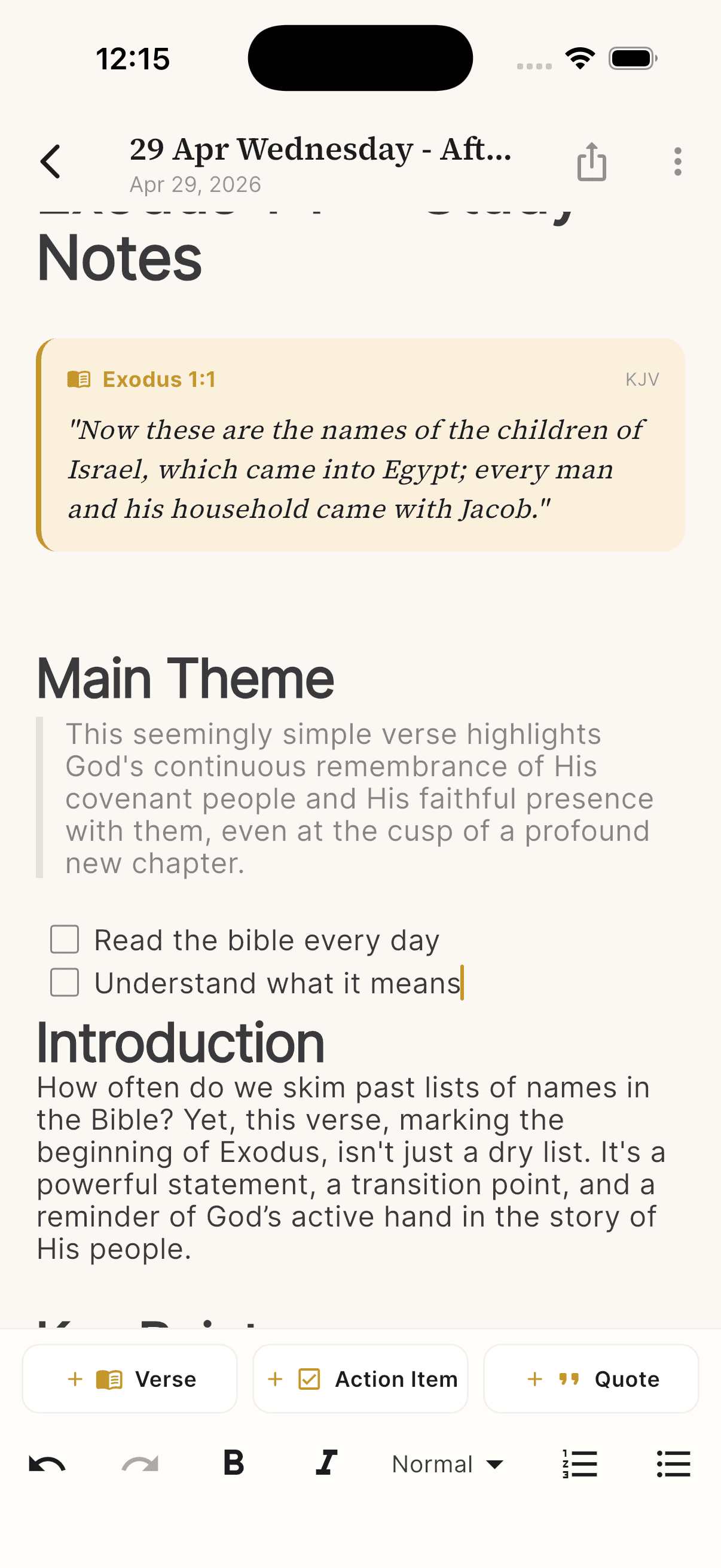
Apple Notes, Google Keep, Notion — none of them understand these elements. You end up with flat text that's hard to revisit and impossible to act on. After talking to dozens of people who take sermon notes regularly, a pattern emerged. The best notes have three things: Writing "Exodus 1:1" is fine in the moment, but when you revisit your notes a month later, you have to look up the verse again. Good sermon notes include the actual verse text right there, so the context is always visible.
Sermon note editor with embedded Bible verse, action items, and rich text
In Selah, tapping + Verse lets you search for any verse and embed it directly in your notes. It appears as a styled card with the reference, translation, and full text — not just a plain text citation. The whole point of a sermon is transformation, not information. But if the action item is buried in your notes, you'll never follow through. Good sermon notes pull action items out as checkable tasks:
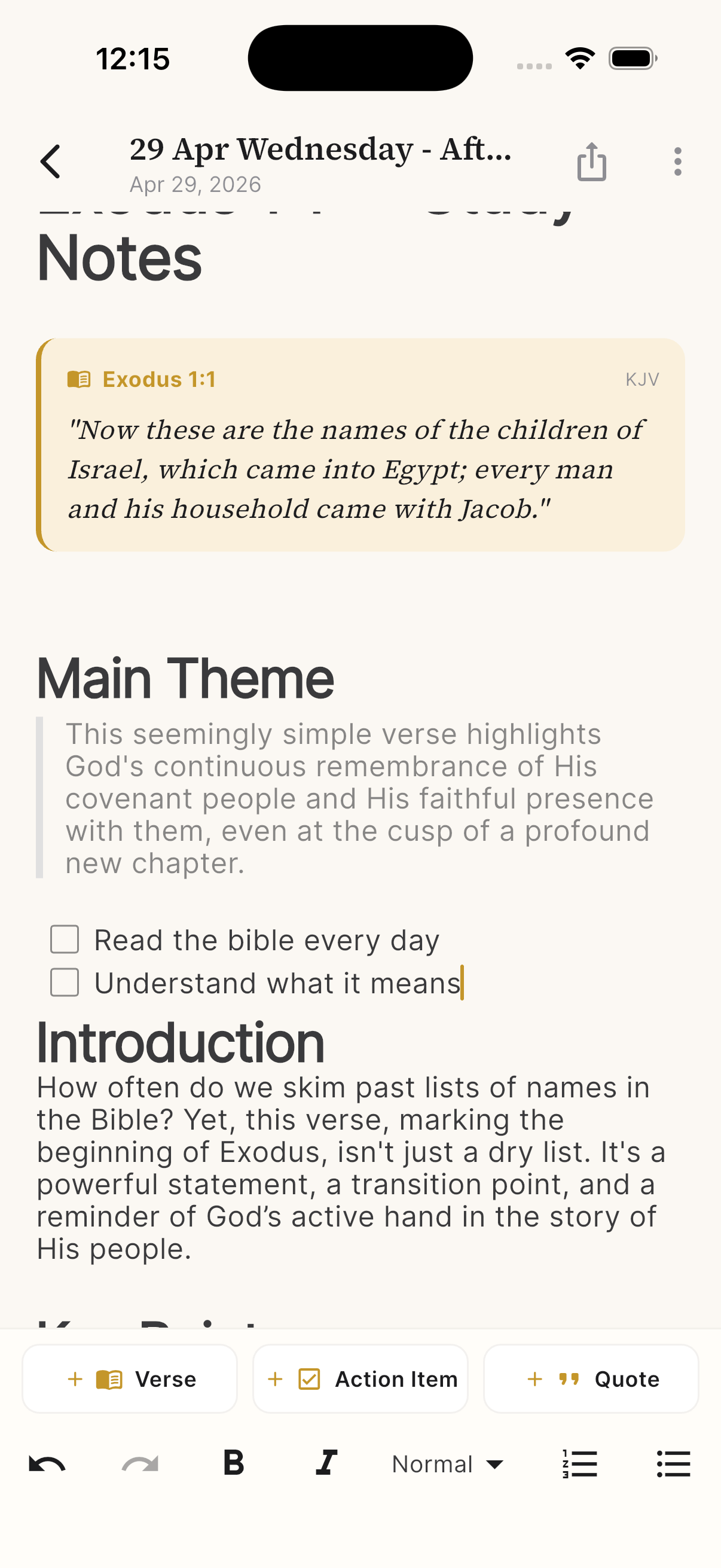
  • ☐ Read the Bible every day
  • ☐ Understand what it means
  • ☐ Forgive someone this week
In Selah, tapping + Action Item adds a checkbox right in your notes. You can check them off during the week as you follow through. It's the difference between "I should do that" and actually doing it. When the pastor says something that resonates — a one-liner that captures the whole message — you want to save it distinctly. Not as another line in your notes, but as a quote you can find later. Tapping + Quote in Selah adds a styled quote block that stands out visually from the rest of your notes. One sermon note is useful. Fifty sermon notes without organization is a mess. This is where most people's systems break down — not in the taking, but in the finding.
Sermon Notes list with search, tags, and note previews
Selah's Sermon Notes screen solves this with:
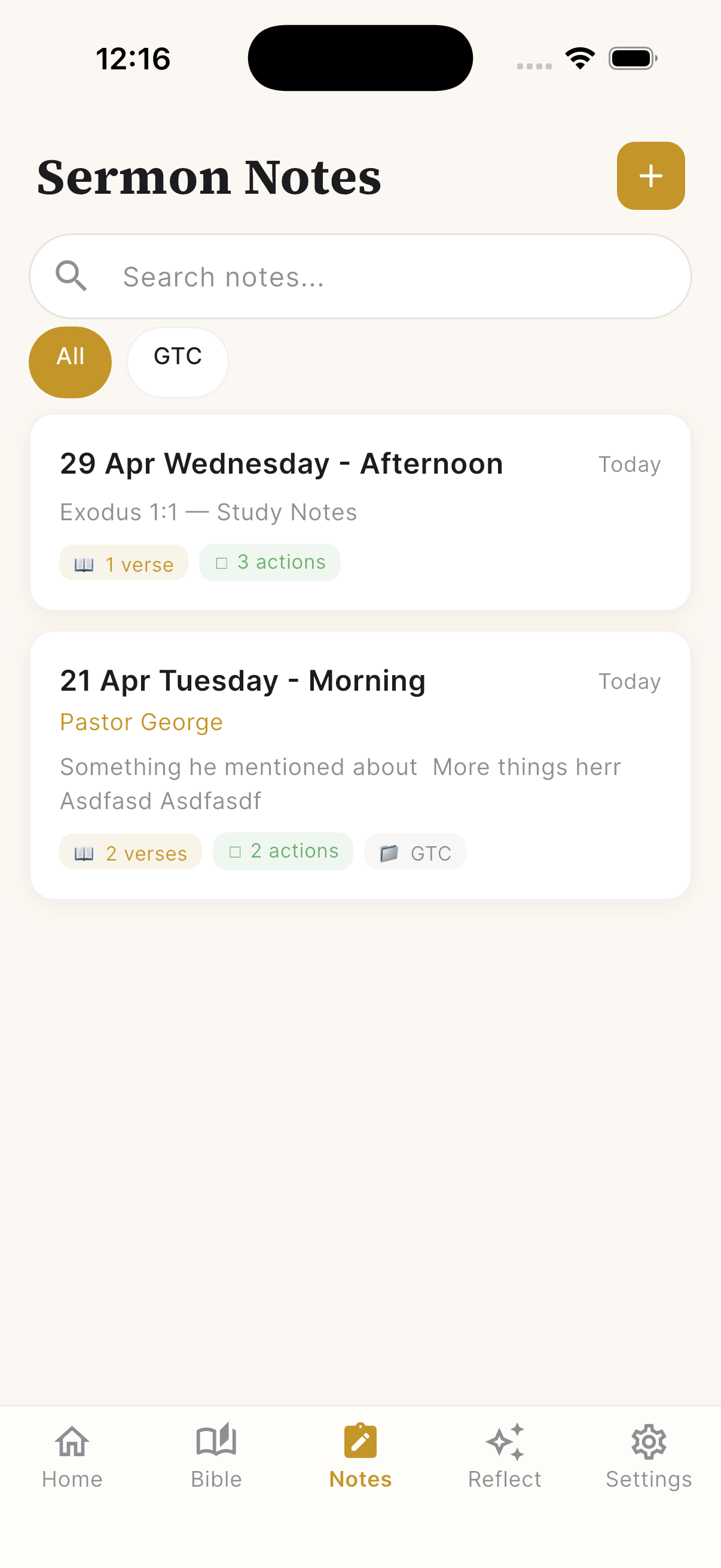
  • Search — Find any note by keyword, verse, or topic
  • Tags — Organize by church, small group, or study (like "GTC" in the screenshot). Filter to see only notes from a specific context
  • Smart previews — Each note card shows the date, title, and badges for how many verses and action items it contains. You can scan your notes at a glance without opening each one
  • Rich text editing — Bold, italic, headings, numbered lists, bullet points. Your notes look good and are easy to read later
What makes this different from a standalone sermon notes app is that it lives inside your Bible reading companion. In Selah, you can:
  1. Read a Bible chapter and track your progress
  2. Reflect on it with an AI companion (Free Chat, SOAP, or Lectio Divina)
  3. Take notes during sermons or personal study with embedded verses, action items, and quotes
Everything is connected. The verse you reflected on Monday might show up in Sunday's sermon. Your notes and reflections live in the same place, building a personal archive of your spiritual journey. Next time you're in church or a Bible study:
  1. Open Selah and tap the Notes tab
  2. Tap + to create a new note
  3. Add the title (date, occasion, speaker)
  4. As the sermon progresses, use + Verse for scripture references, + Action Item for challenges, and + Quote for standout lines
  5. During the week, come back and check off your action items
It takes one sermon to get the hang of it. By the third week, you'll wonder how you ever used plain text.
Selah — Bible CompanionTrack your Bible reading and reflect with an AI companion.

Download on the App Store
How do you take sermon notes? Paper, phone, or not at all? I'd love to hear — connect on LinkedIn.
Share this post: