Asia/Kolkata
BlogApril 24, 2026

The Easiest Way to Track Expenses: Just Type What You Spent

Sumit Vairagar
The Easiest Way to Track Expenses: Just Type What You Spent
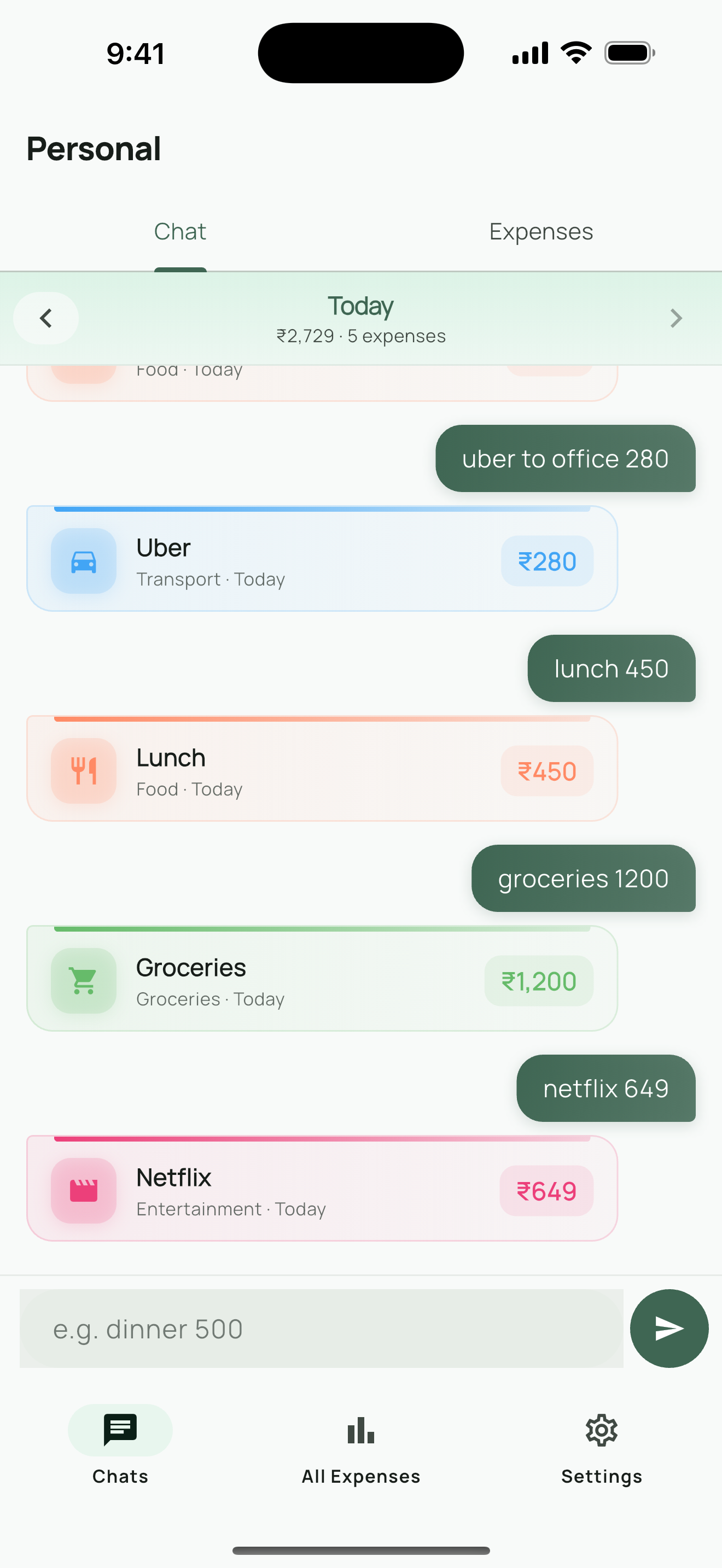
Here's a question: how long does it take you to log an expense? If the answer is more than five seconds, you'll eventually stop doing it. That's not a willpower problem — it's a design problem. Every extra tap, every dropdown menu, every "select a category" screen is a tiny reason to skip it "just this once." And once becomes always. The easiest expense tracker is the one you actually use. And the one you'll actually use is the one that feels like sending a text message. Search for "easy expense tracker" and you'll find dozens of apps that claim to be simple. Most of them aren't. Here's what "easy" usually means in practice: Auto-import from bank: Apps like Mint (now Credit Karma), Monarch Money, and YNAB pull transactions from your bank automatically. Sounds easy, right? Except you need to hand over your bank credentials, wait for transactions to sync (often 1-2 days delayed), and then manually fix the categories the app got wrong. That's not easy — that's automated complexity. Receipt scanning: Some apps let you photograph receipts. Great in theory. In practice, you're fumbling with your camera in a checkout line, the OCR misreads the total, and you spend more time correcting it than you would have typing it. Voice entry: "Hey app, I spent 200 on groceries." This works until you're in a meeting, on a bus, or anywhere you can't talk to your phone. Which is most of the time. Simplified forms: The "easy" version of a form is still a form. Amount field, category picker, date selector. Three taps minimum. It adds up. The fastest way to record information on a phone is typing a short message. We do it hundreds of times a day — texting friends, searching Google, writing notes. It's muscle memory. So what if expense tracking worked the same way? Type coffee 150. Done. The app figures out the rest. Type uber 340. Done. Categorized as transport. Type groceries 2400. Done. Filed under food. No category picker. No date field (it knows it's today). No amount field (it extracts the number from your message). Just a text input and a send button — exactly like a chat app. I built Expense Chat Tracker around this idea. Here's why the chat approach works better than traditional expense apps: Open the app, type "lunch 250", tap send. That's it. The app detects the amount (250), assigns a category (food), and logs it with today's date. Three seconds. You can do it while walking out of a restaurant.
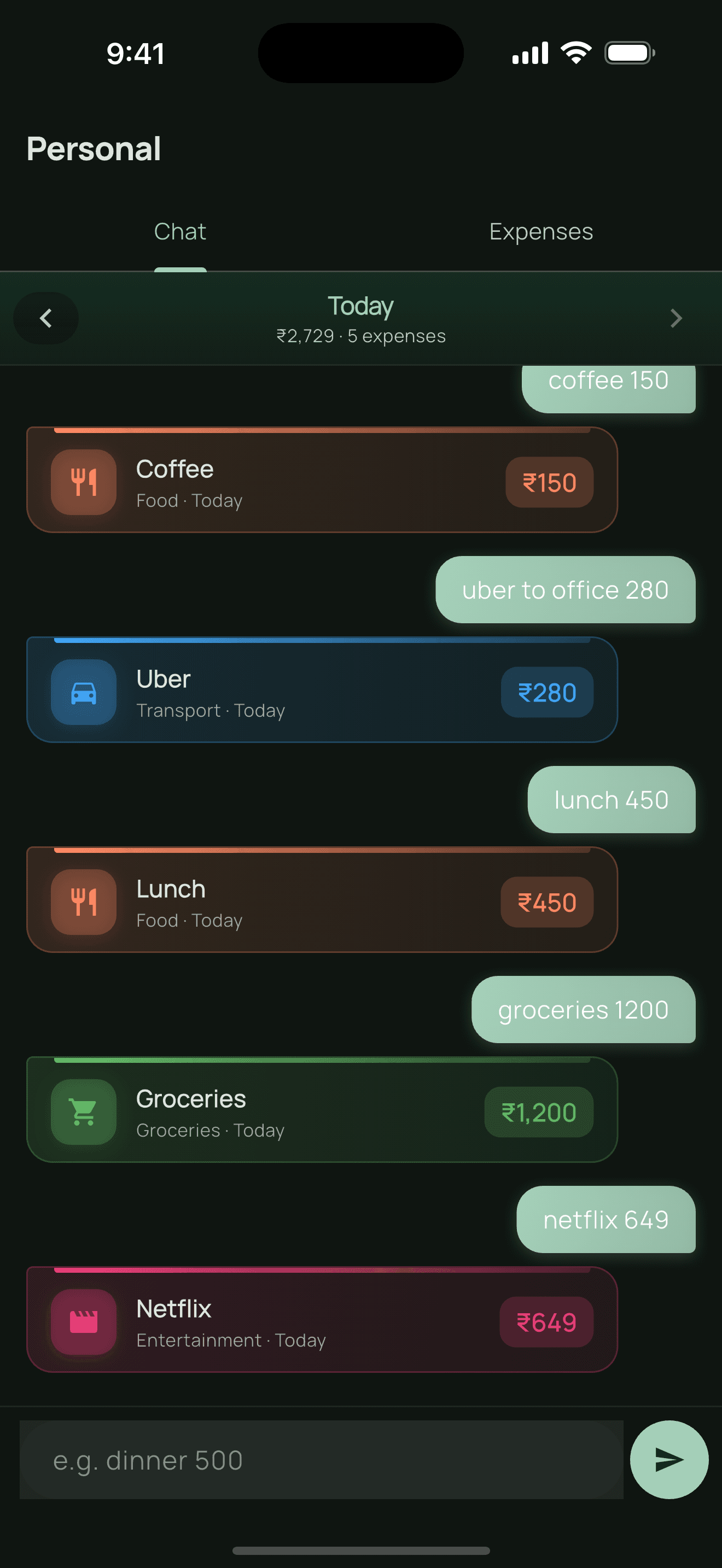
Type your expense like a chat message
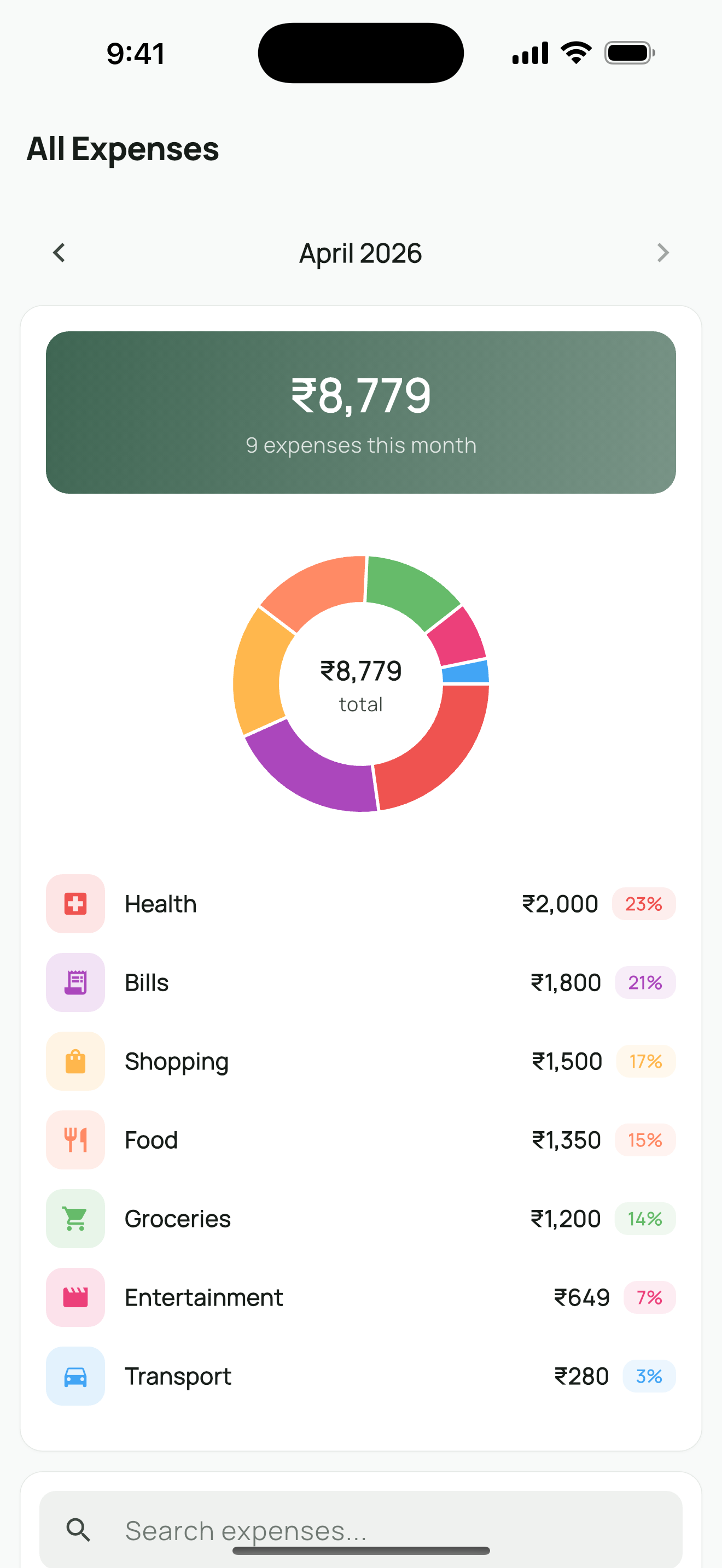
You already know how to use a chat interface. There's no learning curve, no onboarding tutorial, no "how do I add an expense?" moment. If you can text, you can track expenses. Your expenses appear as a chat history — a scrollable timeline of your day's spending. Swipe to see yesterday, last week, or any specific day. It's intuitive in a way that tables and charts aren't. The app recognizes common expense keywords and auto-categorizes them. "Coffee", "lunch", "dinner" → Food. "Uber", "metro", "parking" → Transport. "Netflix", "Spotify" → Subscriptions. You can add custom categories too, but most people never need to. No account required. No bank login. No cloud sync. Everything is stored locally on your device. No one — not even me — can see your spending data. In a world where every app wants your financial data, this one doesn't.
Summary view showing where your money goes
This isn't for people who want to build complex budgets with envelope systems and investment tracking. There are great apps for that (YNAB, Monarch Money). This is for people who:
  • Have tried tracking expenses before and quit because it was too tedious
  • Don't want to link their bank account to yet another app
  • Just want to know where their money goes without a finance degree
  • Travel between countries and need multi-currency support (INR, USD, EUR, GBP, JPY, AED, SGD, AUD, CAD)
  • Value privacy and want their financial data to stay on their device
  1. Download the app
  2. Type your first expense (e.g., "coffee 150")
  3. That's it. There is no step 3.
No sign-up. No setup. No tutorial. You're tracking expenses before you finish reading this sentence.
Expense Chat TrackerTrack expenses by typing — like sending a message.

Download on the App Store
What's stopped you from tracking expenses consistently? I'd love to hear — reach out on LinkedIn.
Share this post: