
Asia/Kolkata
BlogApril 24, 2026

How to Track Daily Expenses Without Spreadsheets or Bank Logins

Sumit Vairagar
How to Track Daily Expenses Without Spreadsheets or Bank Logins
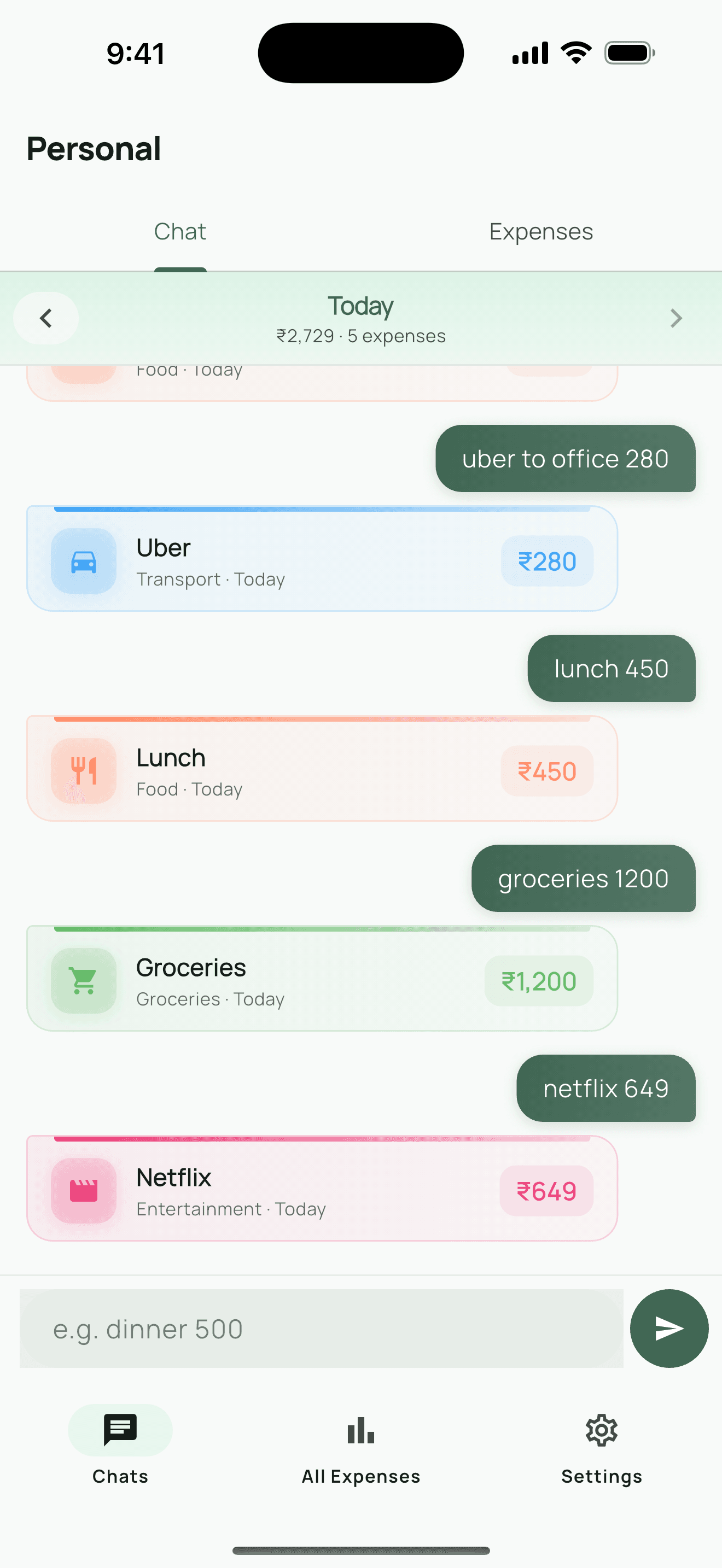
You know you should track your expenses. Every personal finance article says so. But every time you try, the same thing happens: you download an app, spend 10 minutes setting up categories, link your bank account (which feels uncomfortable), log expenses for three days, and then quietly stop. The problem isn't you. The problem is that most expense tracking tools are built for accountants, not for regular people who just want to know where their money goes. Opening a spreadsheet, finding the right column, typing the date, amount, category, and description — that's 30 seconds of friction for every single purchase. Do that 5-10 times a day and it becomes a chore. By day four, you're estimating. By day seven, you've stopped. Apps like YNAB, Monarch Money, and PocketGuard want your bank credentials. For some people that's fine. But many of us aren't comfortable handing over login details to a third-party app — especially when data breaches make the news regularly. Your spending data is deeply personal. Most expense tracker apps present you with a form: amount, category (pick from a dropdown), date, payment method, notes, tags. That's five fields for a cup of coffee. The overhead kills the habit before it starts. After trying dozens of approaches, here's what I've found sticks: The biggest enemy of expense tracking is the gap between spending and logging. If logging takes more than 5 seconds, you'll say "I'll do it later" — and you won't. The entry method needs to be as fast as sending a text message. Manual tracking sounds old-school, but it has a huge advantage: awareness. When you type "lunch 350" yourself, you're consciously registering that expense. Auto-imported transactions from your bank don't create that awareness — they just become noise in a list you never review. You shouldn't have to pick "Food & Dining" from a dropdown every time you buy coffee. A smart tracker should figure out that "coffee" is food and "uber" is transport. You just type what you spent. No cloud sync means no data breach risk. No account means no password to remember. Your expense data should live on your phone and nowhere else — unless you choose otherwise. This is why I built Expense Chat Tracker. Instead of forms and spreadsheets, you track expenses the way you'd text a friend: Just type what you spent. Type "coffee 150" or "groceries 2400" and the app logs it instantly. It detects the amount and assigns the right category automatically. No dropdowns, no date pickers, no extra fields.
Chat-style expense entry
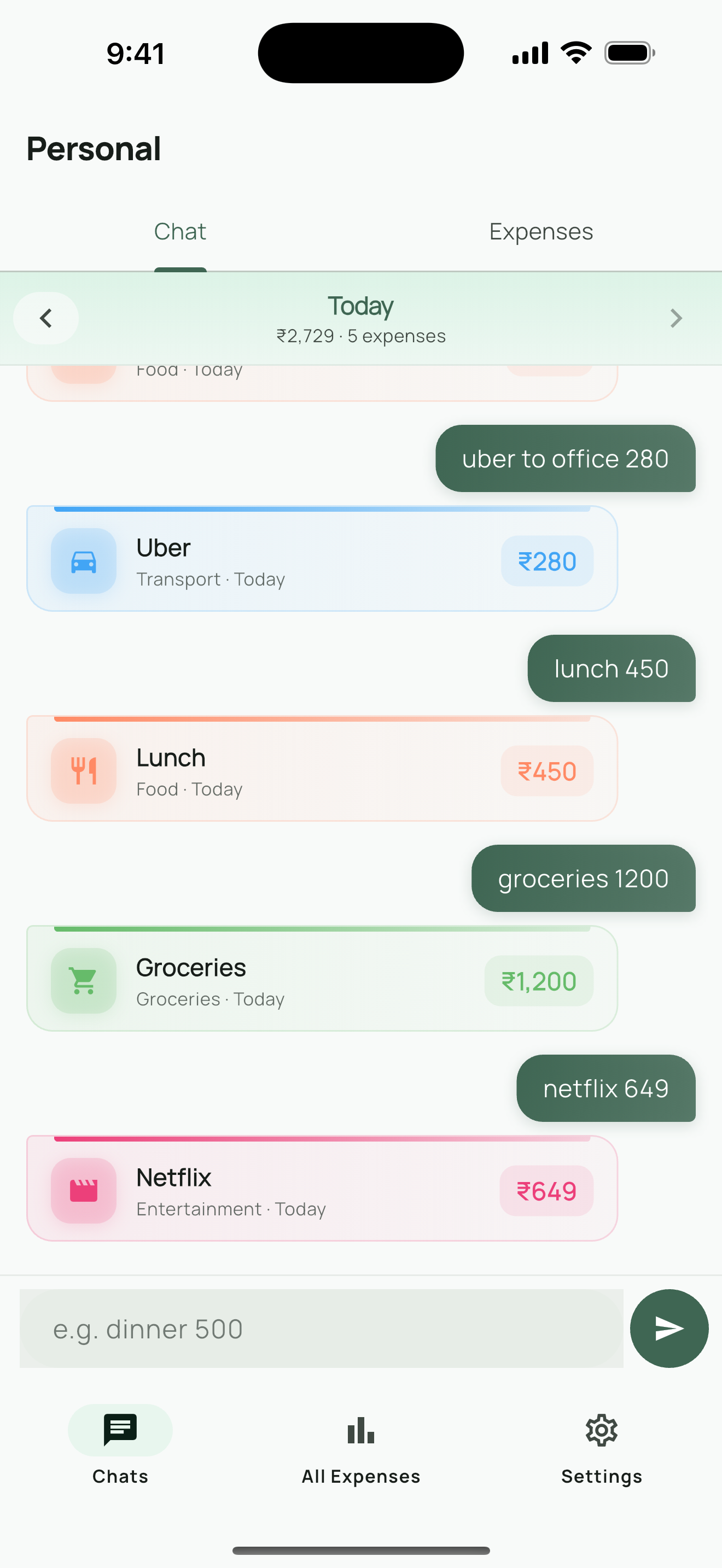
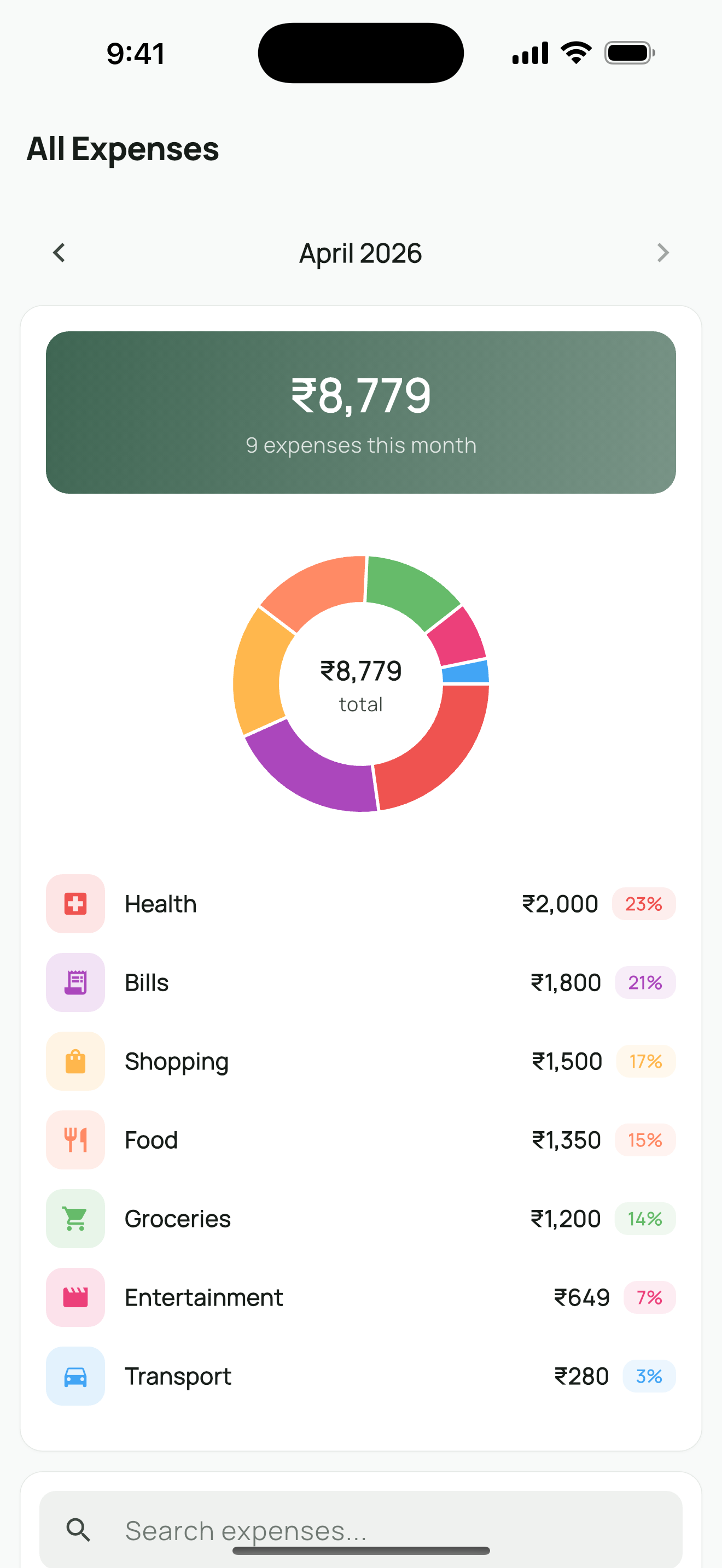
Swipe through your days. Browse your expenses day by day with a simple swipe. See what you spent today, yesterday, or last Tuesday. Each day shows a clear total so you know exactly where you stand. See the big picture. The summary view breaks down your spending by category so you can spot patterns. Are you spending more on eating out than you thought? The numbers don't lie.
Summary view showing spending breakdown by category
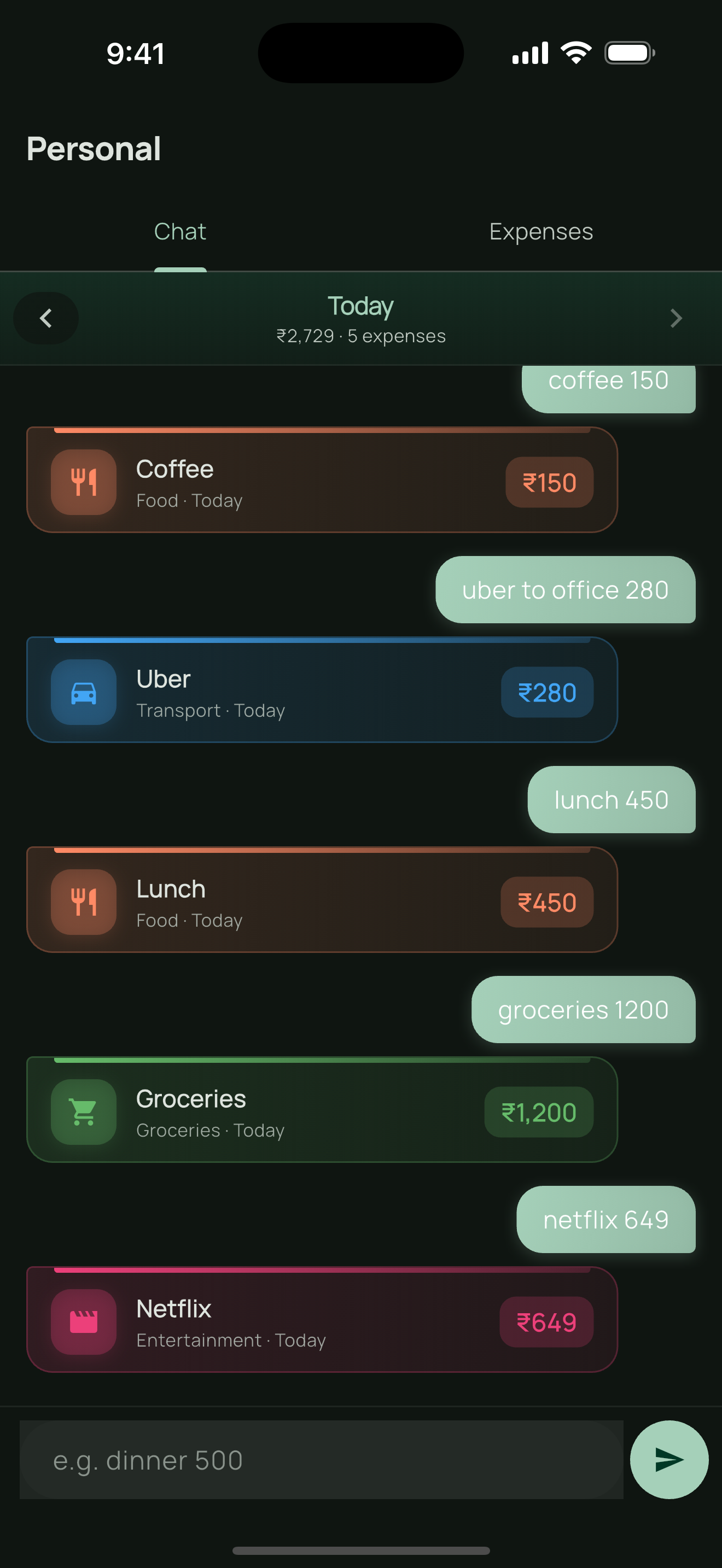
Works in the dark too. Full dark mode support for late-night expense logging — because you'll definitely remember that impulse purchase at 11 PM.
Dark mode for comfortable nighttime use
No account. No bank login. No ads. All data stays on your device. Start tracking the moment you open the app. Supports multiple currencies (INR, USD, EUR, GBP, and more) so it works wherever you are. Even with the simplest tool, consistency requires a small system:
  • Log immediately after paying. Don't wait until evening. The 3-second habit of typing "coffee 150" right after you pay is what makes tracking sustainable.
  • Review weekly, not daily. Checking your summary once a week (Sunday evening works well) gives you enough insight without becoming obsessive.
  • Don't track everything perfectly. Missed a few expenses? That's fine. Tracking 80% of your spending is infinitely more useful than tracking 0%.
  • Watch for one category. Pick the category you suspect you overspend on — eating out, subscriptions, online shopping — and just watch that number for a month. The awareness alone changes behavior.
You don't need a complex financial tool to understand your spending. You need something fast, private, and simple enough that you'll actually use it every day. Skip the spreadsheets. Skip the bank logins. Just type what you spent.
Expense Chat TrackerTrack expenses by typing — like sending a message.

Download on the App Store
How do you track your expenses? I'd love to hear what works for you — connect on LinkedIn.
Share this post: